
Show summary Hide summary
- How fast chargers in 2026 change daily device charging
- The best compact USB-C chargers for phones and tablets
- Multi-port fast chargers to power an entire setup
- High-wattage laptop power adapters and desktop hubs
- Travel-friendly fast chargers and international use in 2026
- GaN technology, battery health and fast charging myths
Your next charger will quietly decide whether your laptop survives a last-minute presentation or your phone dies at 3 percent. Choosing the right fast chargers now means faster, safer device charging and fewer compromises between speed, portability and long-term battery health.
How fast chargers in 2026 change daily device charging
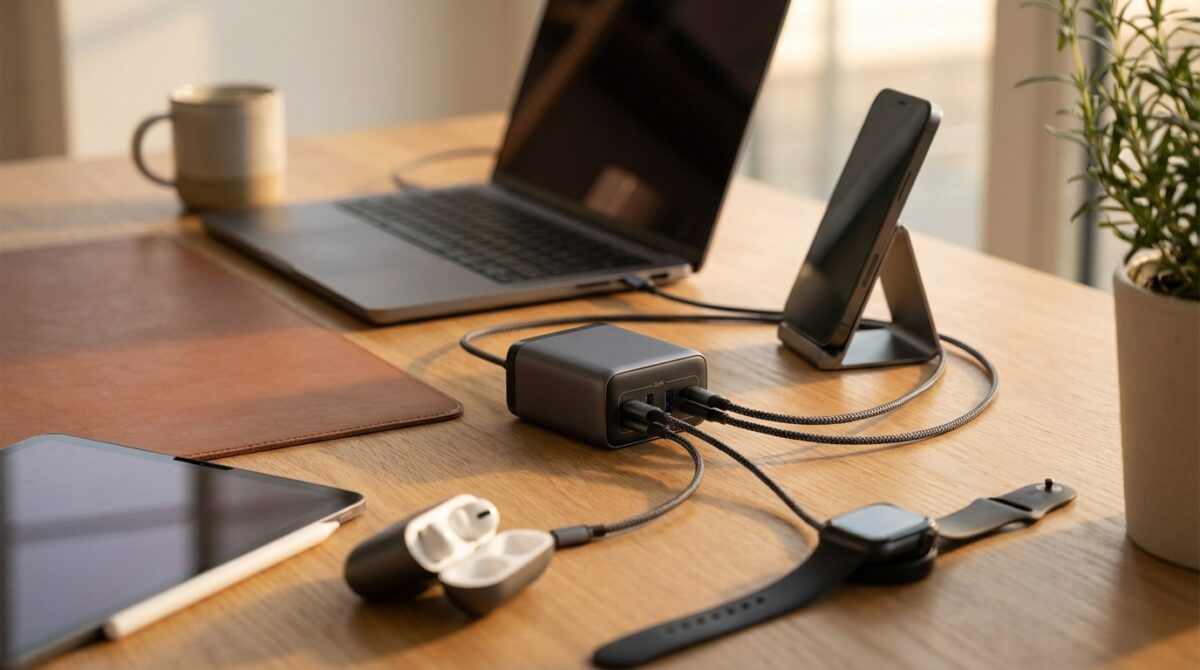
Look at any modern workspace and you probably see a familiar scene: a laptop, two smartphones, wireless earbuds and maybe a smartwatch all competing for power. Fast chargers are no longer backup accessories; they sit at the center of your personal energy network. When you match the right power adapter to your devices, you cut waiting time, reduce heat and extend battery life through smarter power delivery instead of brute force speed.
Consider Maya, a product manager toggling between video calls, design reviews and client travel. She uses a compact 67W USB-C charger for her ultraportable laptop and phone at the office, a slim 30W smartphone charger by the bed and a 140W GaN brick in her bag for flights. Each charger is tuned to a specific role. This kind of deliberate setup, rather than random power bricks scattered everywhere, turns fast chargers into quiet productivity tools that keep every gadget topped up without stress.
Top Cameras to Watch Out for in 2026
JLab Unveils Innovative Bluetooth Speaker That Transforms Into Giant Headphones
The best compact USB-C chargers for phones and tablets
For single-device charging, minimalism wins. Anker’s 30W Nano Charger shows how far USB-C chargers have come. It costs under twenty dollars, slips into a pocket unnoticed and still pushes enough power to top up most phones from near empty over a short coffee break. The folding prongs avoid snagging in bags, which makes it ideal as a permanent travel companion or a discreet charger beside the sofa or nightstand.
This type of 30W brick pairs well with smartphones, wireless charging pads and smaller tablets. You get quick charge performance for mainstream devices without wasting energy on unused wattage. When your phone only accepts 25W, buying a 100W brick for that outlet delivers no extra charging speed. Matching power output to the device’s advertised charging rating keeps things efficient and reduces heat buildup during long sessions.
Multi-port fast chargers to power an entire setup
Once you start charging several devices together, port layout and power sharing matter as much as headline wattage. Plugable’s 40W Dual USB-C Charger is a clear example. It costs more than a basic phone adapter, yet it powers a phone and tablet simultaneously from two USB-C ports. The 40W budget is shared, so plugging in a second gadget slows down each one. However, for overnight charging or desk use, that trade-off often makes sense.
Users like Maya, who juggle laptops, tablets and earbuds, often step up to three-port or four-port adapters. Anker’s 67W three-port wall charger mixes two USB-C ports with one USB-A, supporting legacy cables while staying compact. Its PowerIQ 4.0 technology detects which device has the lowest battery and prioritizes extra energy there, improving effective charging speed without user micromanagement. Those who need more headroom can look at the similarly compact 100W variant for heavier multitasking.
High-wattage laptop power adapters and desktop hubs
When you move into laptop territory, wattage becomes non negotiable. Plugable’s 140W USB-C GaN adapter represents a sweet spot for many professionals. It offers enough power for most productivity laptops while remaining smaller than many first-party bricks and staying under a mid-range price point. Thermal safeguards keep temperatures in check during sustained loads such as video rendering or long gaming sessions, helping protect both battery and internal components.
For more demanding scenarios, desktop hubs step in. UGREEN’s Nexode 500W charger acts as a central station for a full workstation. It can send up to 240W from its top USB-C port, which aligns with the current USB Power Delivery Extended Power Range ceiling. Alongside that, five additional USB-C outputs and one USB-A jack turn it into a command center for phones, tablets, cameras and Bluetooth accessories. It weighs nearly five pounds, so it is not portable, yet for studios and home offices it replaces a tangle of small portable chargers with a single organized power block.
Travel-friendly fast chargers and international use in 2026
Frequent travelers face a different challenge: carrying enough power without filling the backpack with bricks. Razer helped pioneer compact 140W USB-C GaN chargers with interchangeable plugs, but price limits its appeal. Satechi’s 145W travel charger responds to that problem by offering similar global plug options at a lower cost. Four USB-C ports support phones, laptops and portable chargers simultaneously, and the plastic body keeps weight reasonable even if it lacks a premium metal finish.
Another interesting travel companion is Ugreen’s 65W Nexode Ultra-Slim fast charger. Its thin body and folding prongs make it perfect for tight hotel outlets behind bedside tables. With three ports, including one USB-A, it drives a laptop and two smaller gadgets without needing a power strip. The only caveat is its width, which can obstruct nearby sockets in crowded extensions. For those planning around future devices, such as all-glass phones expected in coming years like the concept discussed in this analysis of a potential iPhone redesign, having a versatile travel charger already on hand reduces friction when upgrading hardware.
Checklist to choose the right travel and home charger
Selecting a new charger becomes far easier when you follow a short, practical checklist tailored to your devices and habits. The goal is to avoid buying impressive-sounding bricks that do not actually improve your charging speed or flexibility.
- Count how many gadgets you charge daily and how many need to be plugged in at the same time.
- Check the maximum charging wattage listed in each device’s technical specifications.
- Identify whether your gear uses USB Power Delivery, proprietary quick charge standards or both.
- Decide where the charger will live: fixed desk, bedside, travel bag or shared family area.
- Consider future purchases, such as laptops with higher power draw or more wireless charging accessories.
GaN technology, battery health and fast charging myths
Gallium nitride, or GaN, quietly reshaped portable chargers over the last few years. By replacing older silicon switches, GaN power adapters deliver higher efficiency and output in a smaller body. Depending on the design, GaN-based fast chargers can be roughly one third lighter than comparable silicon models. That difference becomes obvious when a single 140W brick handles a laptop and a phone in your backpack instead of two bulky OEM chargers.
Battery health remains a common concern whenever quick charge figures cross 100W. Technically, pushing high wattage into a cell generates more heat and accelerates wear. Modern chargers and devices respond with smart charging algorithms, temperature sensors and dynamic voltage adjustments. Many phones slow down once they hit about 80 percent, regardless of the charger’s maximum rating. When you pair a quality GaN USB-C charger with certified cables, real-world degradation stays modest, even over several upgrade cycles.
How much wattage do I need for a laptop-friendly fast charger?
Most thin-and-light laptops run well on 60W to 100W USB-C chargers. Check the original power adapter rating on the label; match or slightly exceed that number. If the laptop asks for more than 140W and uses a barrel plug, a universal USB-C charger may only provide slower top-ups instead of full performance power.
Are multi-port USB-C chargers slower than single-port adapters?
When several devices share one charger, total wattage is divided across the active ports. A 67W adapter might give 45W to a laptop and 22W to a phone, for example. For overnight charging, this split is usually fine. For rapid top-ups, unplugging less urgent devices can restore maximum charging speed to the priority gadget.
Do I still need USB-A ports on new power adapters?
USB-A remains useful if you rely on older cables for accessories, budget earbuds or legacy smartphones. However, new phones, tablets and laptops standardize on USB-C, making multi-port USB-C chargers more future-proof. Some users keep one charger with USB-A at home and choose all-USB-C units for their travel kit.
Can wireless charging replace wired fast chargers?
The Switch: Nintendo’s Top-Selling Console That Redefined Gaming
Google Home Enhances User Interaction with New Button Support
Wireless charging offers convenience for smartphones and earbuds, yet it is generally less efficient and slower than cabled quick charge solutions. A strong wired USB-C connection still provides the best combination of speed and energy efficiency, particularly for laptops and tablets that require higher wattage.
How do I avoid overheating when using fast chargers?
Use certified cables, keep chargers in ventilated spaces and avoid covering them with bedding or clothing. If a charger feels unusually hot, disconnect it and let it cool. GaN-based power adapters run cooler at a given wattage than many legacy bricks, which helps maintain stable device charging during long sessions.
