
Show summary Hide summary
Your AirTag stops updating location just as your suitcase leaves the carousel. Panic rises, but you can fix it in under a minute. Knowing exactly how to handle AirTag battery replacement before that moment saves stress, money, and sometimes an entire trip.
Apple’s tracker is built for quiet reliability, yet its tiny CR2032 power source eventually fades. When that happens, your response time directly affects how well you protect keys, bags, or even work equipment. Treat this guide as your personal, step-by-step safety net for every AirTag you own.
How to know your AirTag battery needs replacement
Most people realize the battery is dying only when tracking becomes unreliable. Your iPhone actually warns you much earlier. A notification appears saying that an AirTag has a low battery, usually while everything still works. That is the moment to act, not when the tracker goes silent.
Google Home Enhances User Interaction with New Button Support
Amazon’s Compact Echo Show 8 Hits Record Low Price – Perfect for Your Desk!
If you miss the alert, the Find My app becomes your diagnostic panel. Open it, tap the Items tab, then select the relevant AirTag. Under the name, you may see a “Low Battery” message. That simple line tells you the coin cell is nearing the end of its battery life and should be swapped soon to avoid gaps in tracking.
Reading subtle warning signs before total failure
Sometimes you will not see a warning, yet behavior changes. Location updates may appear delayed, or Precision Finding stops appearing exactly when you need it. One AirTag in consultant Maria’s work bag stopped playing sounds on demand, even though it still reported a rough location.
She opened Find My and saw no low-battery label, but the tracker had been in heavy daily use for more than a year. Swapping the CR2032 battery restored precise tracking and sound within seconds. Treat any combination of age, delay, or missing sounds as a hint that replacement time is close.
Step-by-step AirTag battery replacement guide
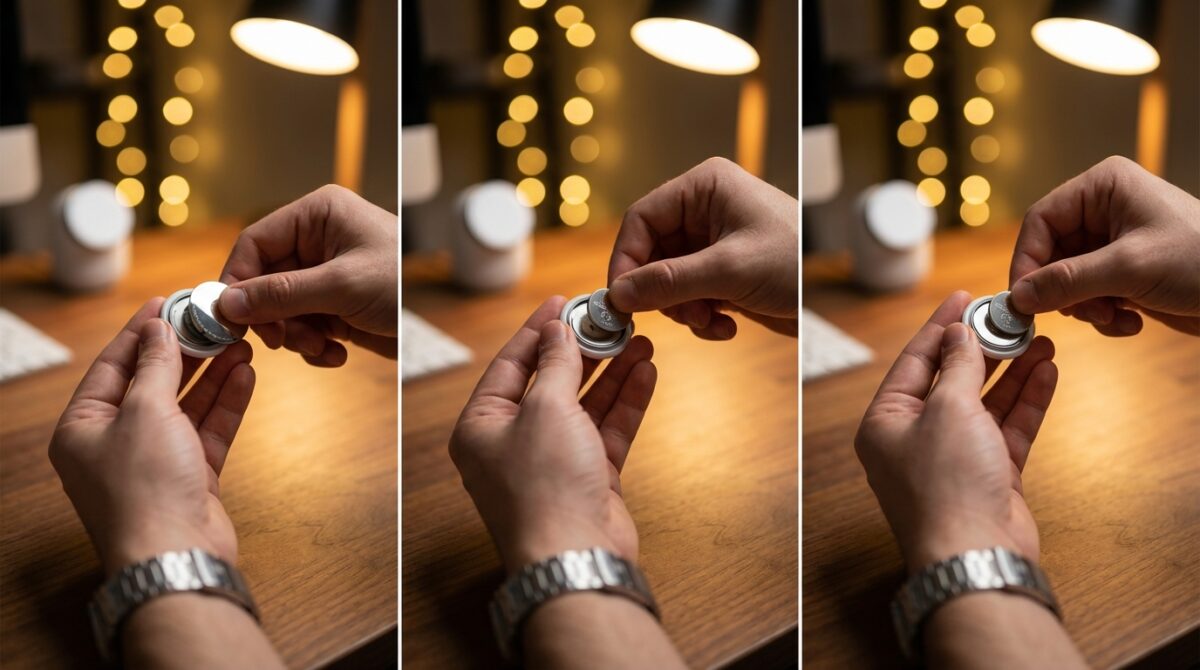
Actual AirTag disassembly is much easier than most gadgets. There are no screws, glue, or tiny plastic clips to fear. You hold the tracker with the stainless steel side facing you. Place your thumbs on the polished surface, press down firmly, and rotate the cover counterclockwise until it stops moving.
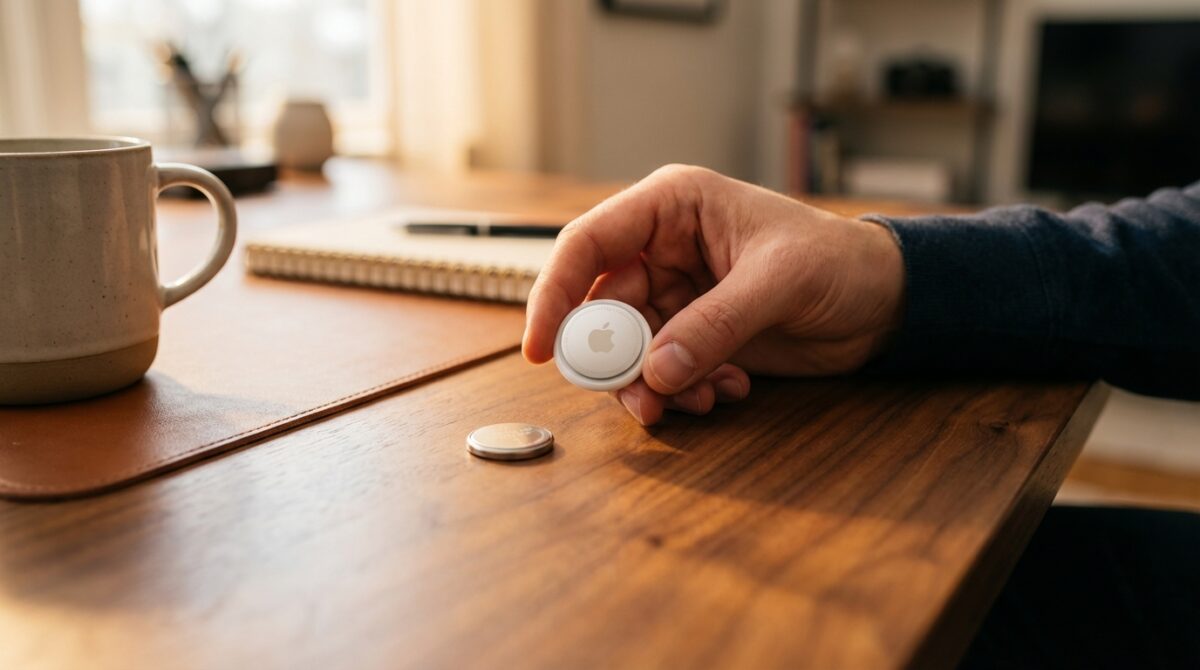
Once it unlocks, lift the metal cover away to reveal the old CR2032 cell. Remove that coin battery, noting which side faced up. Slide in the new cell with the positive side visible. When the installation is correct, the AirTag plays a short chime. That sound is your confirmation that power has returned and the device is ready.
Locking the cover and avoiding common mistakes
Many battery replacement issues come from the final step: closing the cover. Align the three small tabs on the underside of the metal piece with the matching slots on the white body. Gently press down and twist clockwise until the cover stops turning and sits flush. The surface should feel aligned, without wobble.
If you do not hear the chime after closing, repeat the process. Check orientation of the battery, then confirm that the cover truly reached its locked position. Guides such as this detailed step-by-step walkthrough show that most failures trace back to either upside-down batteries or covers not fully rotated into place.
Choosing the right CR2032 battery and handling safety
Every AirTag uses a 3‑volt CR2032 lithium coin cell. That format is widely sold in supermarkets, electronics chains, and office supply stores. Yet not every CR2032 is equal. Some manufacturers apply a thicker child-resistant coating that can prevent reliable contact with the AirTag’s terminals.
Several users reported intermittent performance until they switched to brands explicitly marked as compatible with Apple trackers. Resources such as this Engadget explainer on AirTag batteries highlight the same point: if you install a new cell and the tracker stays silent, try another brand before assuming hardware failure.
Battery safety, disposal, and home best practices
Coin cells are small enough to be swallowed by children or pets. That is why you should treat both new and used units as hazardous objects. Store fresh CR2032 packs in a high drawer or locked cabinet, not in a bowl near the door next to keys and coins. After replacement, never leave the old battery loose on a table.
Place depleted cells into a secure container until you can drop them at a collection point. Many electronics retailers and recycling centers accept lithium coin cells. Proper recycling reduces environmental impact and avoids the fire risks that appear when batteries end up crushed in regular household trash.
Maximizing AirTag battery life and planning replacements
Under standard use, Apple suggests roughly one year of battery life per AirTag. That estimate assumes occasional pings, sporadic sound playback, and moderate location checks. Heavy business travelers, bicycle commuters, or people who rely on frequent Precision Finding may see a shorter interval, especially when the tracker spends time in crowded cities.
One effective strategy involves simple planning rather than constant monitoring. Mark the month of activation in a note or password manager. When you approach the twelve‑month mark, buy a small pack of CR2032 cells. That way you can respond instantly to the first low battery notification instead of hunting for a shop at the airport.
Habits that quietly extend your tracker’s runtime
Every sound alert and precision locating session uses extra power. If you habitually trigger sound just to find keys across the room, consider using the on‑screen map more often. Owners who keep their items mostly near their phones tend to experience longer battery life than people who throw trackers into checked luggage every week.
Some enthusiasts log their replacement dates for each AirTag in a simple list. Over time, patterns appear. You might discover that the one on your suitcase needs a new cell every nine months, while the tracker on your TV remote lasts far longer. That pattern helps you schedule replacements proactively, especially before long trips.
- Monitor low battery notifications in the Find My app.
- Keep a small stock of compatible CR2032 batteries at home.
- Replace cells before extended travel or shipping valuable items.
- Limit unnecessary sound playback to conserve power.
- Recycle used coin cells at approved collection points.
Troubleshooting AirTag battery installation and connectivity
Occasionally, a freshly replaced AirTag still appears offline. Start with the basics: reopen the tracker, remove the CR2032, then reseat it firmly with the positive side up. Listen carefully for the chime once the cover is secured. If there is no sound, test another new battery from a different package.
If the device remains unresponsive, check your iPhone. Confirm that Bluetooth is enabled and that you use a recent version of iOS. Removing the AirTag from your Apple ID and adding it again rarely helps with pure power issues, but can resolve odd pairing glitches after months of use.
When to suspect hardware issues and where to get help
Long‑term wear, moisture exposure, or accidental impacts can damage internal contacts. People who attach AirTags to bikes or pet collars sometimes discover corrosion or dents during disassembly. In such cases, repeated battery replacement attempts will not restore reliable tracking.
Before abandoning the device, compare your steps with a trusted tutorial such as this independent battery change guide. If everything matches and the unit still fails, a visit to an Apple Store or authorized service provider is the logical next step. When a tracker protects valuable objects regularly, replacing it outright may cost less than a single lost bag.
How often should I replace my AirTag battery?
Most AirTag batteries last around one year with regular use. If you use Precision Finding or sound alerts frequently, you may need replacement a few months earlier. Always treat the low battery notification in the Find My app as a signal to change the CR2032 soon.
Do I need special tools to open an AirTag?
No tools are needed for AirTag battery replacement. Hold the stainless steel side facing up, press down with your fingers, and rotate the cover counterclockwise. The back plate unlocks using fingertip pressure only, so screwdrivers or prying devices are unnecessary and may damage the housing.
What happens if I install the battery upside down?
If the CR2032 is reversed, the AirTag will not power on and you will not hear the confirmation sound. Remove the coin cell, flip it so the positive side faces up, and close the cover again. Once the orientation is correct and contact is solid, the tracker should immediately chime and reconnect.
Are all CR2032 batteries compatible with AirTag?
Why the Telephoto Lens Is the Unsung Hero of Smartphone Photography
Hyperos 3 now powers 95% of devices: discover the latest smartphones to get the update
All AirTags use CR2032 3V coin cells, but some child‑resistant coatings make poor contact. If a new battery does not work, try another brand without a thick coating. Purchasing quality cells from reputable manufacturers usually prevents contact issues and gives more predictable battery life.
Is re-pairing required after changing the battery?
No new pairing process is required. After battery replacement and correct installation, the AirTag automatically reconnects to your Apple ID. It appears in the Find My app exactly as before, with the same name and custom settings, so tracking can resume without any extra configuration steps.
