
Show summary Hide summary
- Lenovo Idea Tab Pro tablet review: Price, positioning and who it suits
- Design and build: Plain looks, practical choices that work
- Performance and software: Reliable Android experience, not a speed demon
- Display, audio and battery life: Media strengths that stand out
- Stylus, accessories and real-world productivity scenarios
- Using the Lenovo Idea Tab Pro as a light workstation
- Where accessories and limitations set the boundaries
- Is the Lenovo Idea Tab Pro good enough for gaming?
- How long does the Lenovo Idea Tab Pro battery last in daily use?
- Can the Lenovo Idea Tab Pro replace a laptop for work?
- Does the Lenovo Idea Tab Pro support expandable storage?
- What kind of user will appreciate the Lenovo Idea Tab Pro most?
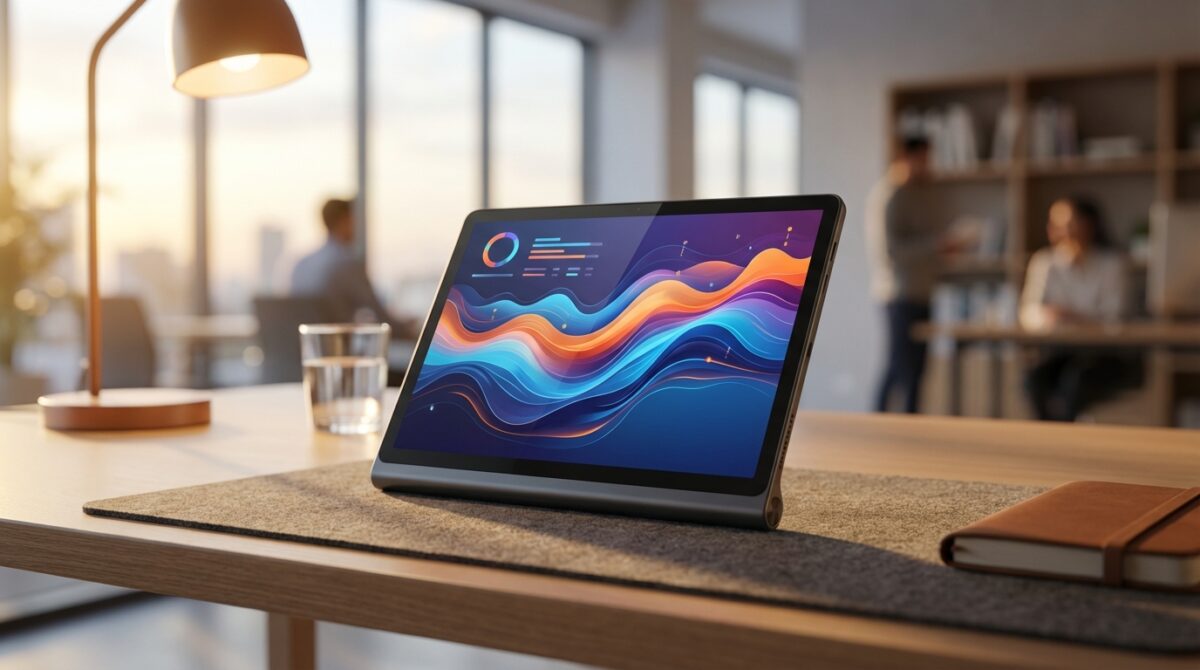
The moment you stop expecting miracles from a tablet and start asking what reliably supports your everyday workflow, the Lenovo Idea Tab Pro becomes interesting. It does not chase benchmark headlines. Instead, it combines steady performance, a sharp display, and long battery life at a price that invites very pragmatic decisions.
Lenovo Idea Tab Pro tablet review: Price, positioning and who it suits
Look at the Lenovo Idea Tab Pro as the device you buy when you want competence rather than spectacle. Lenovo lists it around $419 with 256GB of storage and the Tab Pen Plus stylus in the box, yet real-world street prices often fall closer to $289. That gap completely changes how you judge the tablet, because value rather than raw performance becomes the central story.
Imagine Julia, a freelance UX designer who mainly needs an Android tablet for client calls, annotating wireframes, and streaming design talks. She does not require a flagship chip, but she does care about a crisp display, enough storage, and reliable battery life. The Idea Tab Pro fits this scenario almost perfectly, especially when found below its recommended price, where it undercuts many rivals while still feeling more premium than budget slates from a few years ago.
A Step-by-Step Guide to Sending Messages via Satellite on Your iPhone
Vibe Camera Showdown: Comparing Camp Snap Pro and Flashback One35 V2
Pricing tiers, storage and expandability explained
The configuration strategy is straightforward. The Lenovo Idea Tab Pro starts at about $389 with 128GB of storage, then moves up to $419 for 256GB. Both versions include 8GB of LPDDR5X memory and the same MediaTek Dimensity 8300 processor, so performance is identical. The included stylus means you can start sketching notes or marking up PDFs without buying an extra accessory, which matters for students and professionals working on tight budgets.
Many tablets force you to decide your entire storage needs at checkout, but Lenovo still integrates a microSD card slot. That one feature changes how you plan for the tablet’s lifespan. You could begin with the 128GB version, then add a large microSD card a year later when your local storage fills with offline videos, reference documents, and downloaded comics. Compared with rivals like Google’s Pixel Tablet, which still asks a premium price and lacks expandable storage, this flexibility makes the Idea Tab Pro feel like a longer-term investment.
Who actually benefits from this Android tablet
The Idea Tab Pro is not aimed at mobile gamers chasing the highest frame rates, nor at creative professionals who render complex 3D scenes on the go. Instead, it targets people like Julia who want a reliable Android slate for media, study, and light productivity. If you mainly browse the web, handle email, join video calls, and occasionally edit office documents, the tablet covers that brief with room to spare.
Parents looking for a family media hub, university students juggling note-taking and streaming, or remote workers who need a secondary screen beside a laptop will likely appreciate the balance. When reviewers at outlets such as CNET described it as a tablet that simply gets the job done, that was not faint praise; it captured the spirit of a device designed to disappear into your routine rather than compete for attention.
Design and build: Plain looks, practical choices that work
At first glance, the Lenovo Idea Tab Pro does not try to impress. The chassis uses a grey aluminum shell that wraps around the back and sides, with flat edges and a small camera bump. On a café table next to more flamboyant devices, it almost disappears. For many users, that understated approach is an advantage especially in shared workspaces where discreet hardware attracts less unwanted attention.
The build feels solid in the hand, not too light yet far from cumbersome. The 12.7-inch form factor strikes a careful balance between immersive viewing and comfortable handling. Thicker bezels than some premium rivals might seem old-fashioned, yet they offer a practical place for your thumbs to rest in landscape mode without triggering accidental touches during movies or calls.
Ports, buttons and stylus mounting in daily use
Along the frame, Lenovo places the USB-C port flanked by two of the four speakers, while the microSD tray sits close by for quick access. The bottom edge hosts pogo pins for an optional keyboard accessory, but many users simply pair a compact Bluetooth keyboard instead of buying Lenovo’s dedicated cover. Power and volume buttons feel firm and responsive, important for a device you may pick up dozens of times a day.
The power button integrates a fingerprint scanner, offering fast sign-ins alongside face unlock from the front camera. Everyday authentication feels smooth, though facial recognition can become less forgiving if your appearance changes significantly, as some reviewers noticed after shaving. The stylus connects magnetically along the top rear section, which carries a subtle diagonal texture. This attachment point is convenient on a desk, but in a crowded backpack the pen can be knocked off, so many owners carry it in a sleeve or pen loop.
Comfort, grip and long-session ergonomics
During long reading sessions or remote meetings, the weight distribution matters more than glossy marketing photos. The Idea Tab Pro manages that balance well. It feels slightly heavier than smaller 11-inch tablets, yet the wide aspect ratio suits split-screen work and video watching. The edges do not dig into your hands during extended use, a detail you notice only when it goes wrong.
For Julia, who often spends an hour reviewing prototypes with clients, that comfort translates directly into better user experience. She can hold the tablet in landscape mode, prop it against a simple stand, and keep the stylus within reach. The design may be described as utilitarian by many reviewers, but in actual workdays, utilitarian often means dependable and easy to live with.
Performance and software: Reliable Android experience, not a speed demon
Under the aluminum shell, the Lenovo Idea Tab Pro runs on MediaTek’s Dimensity 8300 chipset with 8GB of RAM. Compared with Qualcomm’s Snapdragon 8-class processors, this chip sits clearly in the midrange. Benchmarks from various Lenovo Idea Tab Pro tablet review pieces show it trailing Snapdragon 8 Gen 3 devices such as the Lenovo Yoga Tab Plus, especially in graphics-heavy workloads and synthetic CPU tests.
However, when stacked against similarly priced competitors, the picture changes. Reviews from sites like PCMag highlight that the Idea Tab Pro outperforms cheaper Android slates and even edges out the Google Pixel Tablet in some benchmarks. In graphics-oriented tests such as MotionMark, it can reach roughly double the score of Google’s older Tensor G2 tablet, which still sells at a significantly higher price point in many markets.
Everyday performance and multitasking behaviour
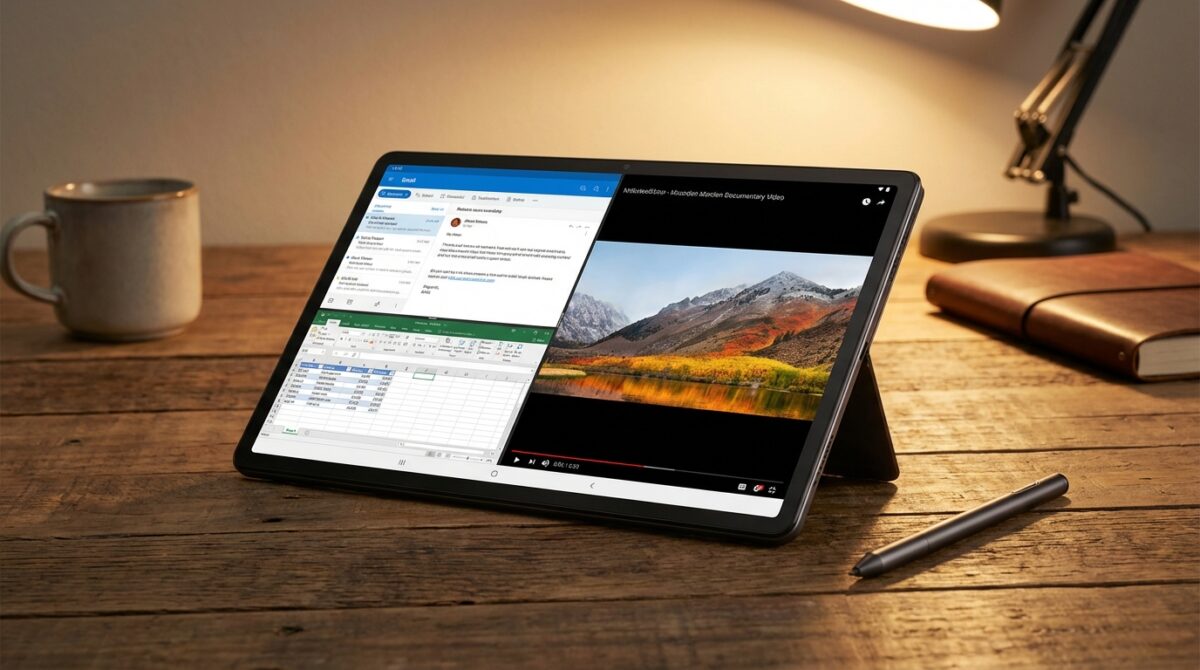
In normal use, the tablet feels responsive for web browsing, video streaming, note-taking, and document editing. Apps open quickly enough that you rarely think about the processor, and Android’s multitasking features let you keep two apps side by side on the elongated screen. Julia often runs a browser with a design system guide on one half and a note app on the other, with no obvious slowdown.
Limitations appear when you push into heavy 3D games or sustained multi-hour workloads that stress the CPU and GPU. Demanding titles remain playable if you lower graphics settings, yet frame rates do not rival flagship devices. There have also been reports of isolated hiccups such as choppy playback when streaming YouTube videos at double speed, which usually resolve on their own. For casual entertainment and productivity, though, the performance profile feels aligned with the tablet’s pricing.
Android 14, updates and productivity features
The Lenovo Idea Tab Pro ships with Android 14 and a software policy that promises two major OS upgrades and four years of security patches. For a midrange tablet, this commitment provides a decent runway, particularly for users who expect at least three to four years of service. The interface stays relatively close to stock Android, with Lenovo adding productivity tweaks rather than heavy visual skins.
Floating windows, split-screen layouts, and stylus support help the large display feel more like a compact workstation. Julia can highlight segments of long research articles, annotate screenshots from client prototypes, and quickly share comments. The combination of moderate performance, clean Android experience, and thoughtful multitasking tools demonstrates how software optimisation can stretch midrange hardware further than benchmarks alone suggest.
Display, audio and battery life: Media strengths that stand out
The screen is where the Lenovo Idea Tab Pro often surprises new owners. It features a 12.7-inch LCD panel with a resolution of 2,944 x 1,840, delivering around 273 pixels per inch. Text appears crisp, interface elements feel well defined, and high-resolution artwork benefits from the extra detail. The 144Hz refresh rate sets it apart from many mid-price rivals that stop at 60 or 90Hz, making scrolling and stylus input appear smoother.
Brightness measurements around 400 to 411 nits place it solidly in the “bright enough” category for indoor use and shaded outdoor spaces. Reflections can become challenging under direct sunlight, especially because the panel lacks the top-tier anti-glare coating seen on Lenovo’s more expensive models. Still, for reading, movies, and split-screen multitasking in typical environments, the display holds up comfortably.
Audio quality and entertainment experience
Lenovo equips the tablet with four speakers tuned by JBL, two on each side of the screen. For a device at this price, the soundstage feels surprisingly wide, with enough volume to fill a medium-sized room. Voices in dialogue remain clear, and music carries decent separation, although some resonances appear at higher volumes. When watching films or video lectures in landscape mode, the stereo effect meaningfully enhances immersion.
Julia uses the tablet as her primary media screen during travel, streaming design conferences, documentaries, and music playlists. She often leaves external speakers at home because the built-in system is adequate for hotel rooms and shared apartments. Combined with the high-refresh display, this audio setup turns the Idea Tab Pro into a confident entertainment hub that feels more expensive than its discounted prices suggest.
Battery life numbers and charging habits
Powering this experience is a 10,200mAh battery paired with 45W wired charging. In continuous video streaming tests at around 50 percent brightness, the tablet can last roughly 12.3 hours, landing safely in all-day territory for mixed real-world use. The fact that 50 percent brightness already outputs over 140 nits means these tests are not artificially dimmed to inflate numbers.
For Julia, this translates into a routine where she charges overnight, then comfortably handles client calls, research reading, and evening streaming without reaching for the charger. Fast charging support means that even a short break can add a useful buffer to battery life. This steady endurance, combined with efficient standby behaviour, reinforces the sense of a reliable companion rather than a device that demands constant battery management.
Stylus, accessories and real-world productivity scenarios
Lenovo bundles the Tab Pen Plus stylus with every Idea Tab Pro, which changes the value equation compared with tablets that sell pens separately. The stylus supports pressure sensitivity and low-latency writing, so handwriting feels natural enough for meeting notes, diagrams, or quick storyboards. On the 12.7-inch canvas, you can create multi-column note layouts or draw rough UI sketches without feeling constrained.
The main compromises appear in convenience features. The pen charges via its own USB-C port rather than wirelessly from the tablet, and it offers no haptic feedback. This means you must remember to charge it occasionally and accept a slightly less “premium” feel than styluses on high-end devices. For many workflows, though, accurate ink and low jitter matter more than advanced extras.
Using the Lenovo Idea Tab Pro as a light workstation
With the optional keyboard cover or a third-party Bluetooth keyboard, the Idea Tab Pro turns into a lean writing and research machine. The wide screen allows a document editor on one side and a browser on the other, while the stylus handles quick margin notes. Remote workers can keep a messaging app pinned in a corner alongside a calendar, approaching a compact laptop experience for focused tasks.
Julia often connects the tablet to a simple stand, pairs a lightweight keyboard, and uses it as her primary note-taking device in client workshops. She captures sketches with the stylus, jots feedback during live sessions, and exports structured notes to cloud storage afterward. The combination of reasonable performance, long battery life, and integrated pen support turns what might seem like a media tablet into a flexible productivity tool for the right user.
Where accessories and limitations set the boundaries
While Lenovo’s own keyboard accessory offers pogo-pin convenience, some reviewers feel its price nudges buyers toward third-party options. That reflects the tablet’s broader strategy: the base device brings strong value, while extras require more careful budgeting. Owners who prefer laptop-style trackpads may still lean on a separate notebook, using the Idea Tab Pro as an adjunct rather than a full replacement.
External resources such as the detailed analyses on TechRadar’s Lenovo Idea Tab Pro review and other specialist sites often conclude that this tablet shines when treated as a flexible companion, not a workstation powerhouse. Within that context, the accessories complete a modular setup you can scale up or down depending on whether you are on the sofa, in a co-working space, or traveling between client sites.
- Solid midrange performance for everyday Android apps
- Sharp 12.7-inch display with 144Hz refresh rate
- MicroSD expansion for growing storage needs
- Strong battery life and reliable standby performance
- Included stylus for note-taking and annotation
Is the Lenovo Idea Tab Pro good enough for gaming?
The Lenovo Idea Tab Pro can handle casual and mid-intensity Android games, especially when you reduce graphics settings. Its MediaTek Dimensity 8300 chipset and Mali G615 GPU deliver reasonable frame rates in popular titles, but it does not match flagship tablets built specifically for high-end gaming and long, thermally demanding sessions.
How long does the Lenovo Idea Tab Pro battery last in daily use?
In mixed real-world use that includes browsing, video streaming, and productivity apps, the Idea Tab Pro typically reaches a full working day without recharging. Video loop tests around 50 percent brightness show roughly 12.3 hours of runtime, and 45W charging helps top up the large 10,200mAh battery relatively quickly between sessions.
Can the Lenovo Idea Tab Pro replace a laptop for work?
For light productivity such as email, document editing, video calls, and web-based tools, the Idea Tab Pro can act as a laptop alternative when paired with a keyboard and stand. Power users who rely on heavy multitasking, desktop-class software, or advanced creative suites will still find a traditional laptop more suitable, while using the tablet as a secondary screen or portable companion.
Does the Lenovo Idea Tab Pro support expandable storage?
Yes, the tablet includes a microSD card slot alongside its internal UFS 4.0 storage. This allows you to start with either the 128GB or 256GB model and later add a microSD card to store extra media, offline files, and apps. The feature makes the device more future-proof, especially as your media library and downloaded content grow.
What kind of user will appreciate the Lenovo Idea Tab Pro most?
Transform Your Phone Photos Into Warm, Dreamy Analog Film Masterpieces With These 3 Easy Tricks
Apple Explores Red as the Next Premium Hue for Upcoming iPhones
The Idea Tab Pro suits students, remote workers, and families who need a reliable Android tablet for streaming, browsing, note-taking, and light productivity. People who prioritize a sharp display, strong battery life, and included stylus over cutting-edge performance are likely to find it particularly appealing, especially when purchased at discounted prices below the official MSRP.
