

Show summary Hide summary
- iPad Air M4 vs M3: Performance comparison that really matters
- Connectivity and battery life: Subtle tech upgrades, same endurance
- Design, display quality and audio: Familiar shell, familiar trade-offs
- Apple ecosystem, accessories and software: Where the M4 feels bigger
- Pricing, upgrade logic and who should pick M4 over M3
- Who benefits most from the subtle upgrades
- Is the iPad Air M4 worth upgrading from the M3 model?
- How much faster is the M4 chip compared with the M3 chip?
- Does the iPad Air M4 have better battery life than the M3 version?
- Are there any changes to the display quality on the iPad Air M4?
- Who should choose the iPad Air M4 instead of an iPad Pro?
You can line up the iPad Air M3 and the new M4 side by side and see almost nothing change, yet creatives and power users are quietly getting a very different machine. The catch is understanding whether those hidden gains in the M4 chip, memory, and connectivity actually matter for the way you work.
iPad Air M4 vs M3: Performance comparison that really matters
The headline change in this Apple tablet refresh is the move from the M3 chip to the M4 chip, paired with a memory jump from 8GB to 12GB of RAM. On paper, Apple suggests up to a 30 percent performance uplift, which does not sound dramatic until you start stacking real workloads. When video timelines grow past 4K, layers pile up in Procreate, or multiple virtual instruments run in Logic, that extra headroom stops the interface from slowing down at the worst moment.
Consider a freelance designer like Lena, working between Figma, Lightroom, and a browser full of client references. On the iPad Air M3, those sessions already felt smooth, yet background apps sometimes had to reload when switching quickly. The M4 chip, combined with higher RAM, keeps more of those processes resident in memory. That means less waiting for tabs to refresh and fewer dropped frames when scrubbing through dense animations, turning the midrange tablet into a more confident mobile studio.
Apple’s Most Affordable AirPods Now Available for Just $89
iPhone 17e vs. iPhone 16e: Unveiling the Exciting Upgrades in Apple’s New $599 Smartphone
M4 chip, AI workloads and Apple Intelligence use cases
Where the M4 chip pulls away most clearly from the M3 chip is in AI-heavy workflows tied into Apple Intelligence features. Local text generation, image cleanup, and summarization of large documents rely on the neural processing unit as much as the CPU and GPU. With more computational lanes and extra RAM, the M4 Air handles those tasks faster and can keep larger models in memory without repeatedly offloading to the cloud.
For a lawyer or consultant reviewing contracts on the go, that translates into quicker semantic search across long PDFs and more responsive language tools when drafting revisions. A student can annotate lectures while running real-time transcription and translation with less stutter. Those gains remain subtle in early usage yet accumulate into minutes saved each day, which is why detailed reviews from sources like Engadget’s comparison of the M4 and M3 models focus heavily on long-term responsiveness rather than single benchmarks.
Connectivity and battery life: Subtle tech upgrades, same endurance
Another quiet leap lies in connectivity. The iPad Air M4 integrates Apple’s newer N1 chip, upgrading wireless support from Wi‑Fi 6 on the M3 model to Wi‑Fi 7, alongside Bluetooth 6. That step takes peak throughput from around 9.6 Gbps to a theoretical 46 Gbps. For most home and office users, those numbers sound extravagant, yet they open up room for new workflows as networks catch up over the next few years.
Imagine a small production studio backing up massive ProRes clips to a Wi‑Fi 7 NAS while two editors scrub the same footage from different rooms. The M4 Air can participate in that environment without becoming the bottleneck. Even in simpler setups, large app downloads, iCloud Photo Library sync, and collaborative whiteboarding sessions feel more immediate. Importantly, this all happens without any advertised change in battery life, which remains rated for about ten hours of web browsing or video playback on Wi‑Fi and nine hours on cellular models.
Real-world battery life and mobile workflows
Although Apple’s quoted battery figures stay unchanged between generations, the extra efficiency of the M4 architecture helps in mixed workloads. When workloads spike briefly, like rendering a short 4K clip or applying complex photo filters, the chip finishes sooner and returns to low-power states faster. That behavior can stretch real-world endurance, particularly for users who juggle bursts of heavy work with long periods of reading or note-taking.
For remote workers such as product managers jumping between video calls, shared documents, and email, that consistency matters more than any raw milliamp-hour figure. They know the device will still survive a full day of travel, hot-spotting, and document editing. Analysis pieces like Business Standard’s overview of performance and connectivity gains underline that the M4 delivers modern network features without eroding the familiar endurance profile that existing iPad Air owners rely on.
Design, display quality and audio: Familiar shell, familiar trade-offs
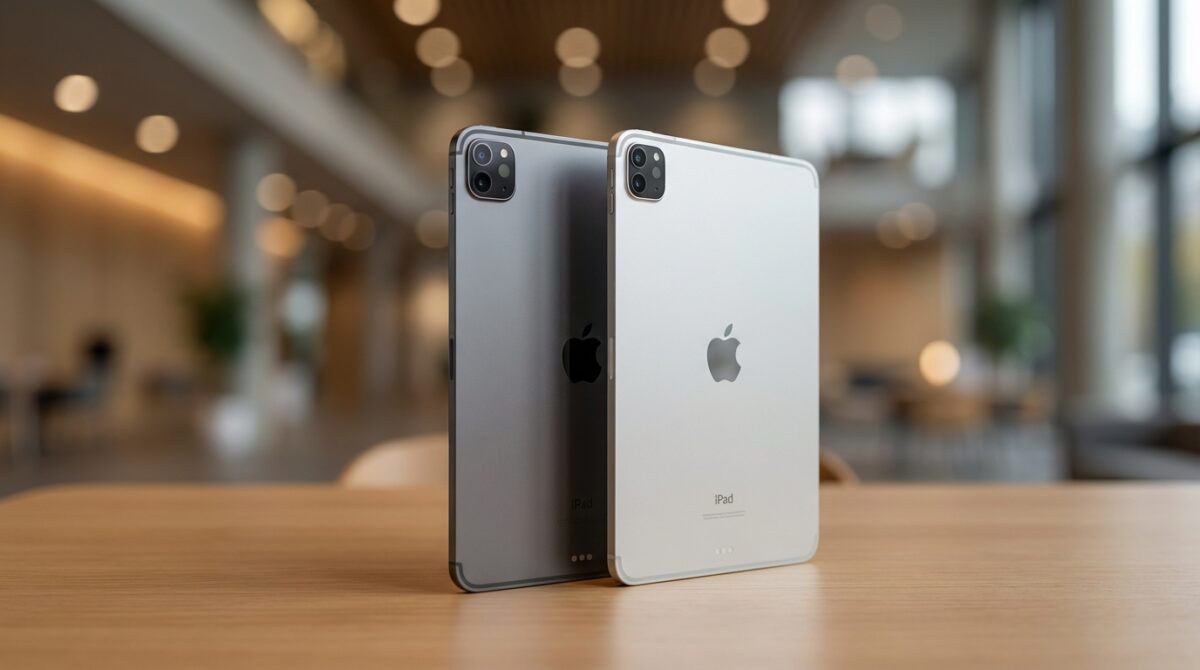
Look at the iPad Air M4 on a desk and you could easily mistake it for the M3 version. Both sizes keep the same dimensions, weights within a gram of each other, and a color palette of blue, purple, beige, and gray. For some buyers, that continuity is reassuring; accessories still fit, and the device feels instantly familiar. Others might have hoped for bolder finishes or a slimmer profile to visually separate generations.
The display story is similar. Both the 11‑inch and 13‑inch variants retain a Liquid Retina LED panel at 264 pixels per inch, with resolutions of 2,360 × 1,640 and 2,732 × 2,048 respectively. Brightness sits at 500 nits on the smaller model and 600 nits on the larger. That level remains comfortable for indoor work and occasional outdoor use, yet it stops short of the richer contrast and deeper blacks of an OLED or Mini‑LED panel, which continue to distinguish the iPad Pro line.
60 Hz limitations and content consumption experience
The 60 Hz refresh rate may be the most important constraint for anyone sensitive to motion smoothness. Scrolling long documents, sketching quick strokes in drawing apps, or playing fast-paced games all feel snappier on 120 Hz displays. For readers coming from older iPads or non-Pro laptops, the iPad Air experience still feels fluid. Once a user has lived with ProMotion, however, the difference becomes obvious, especially for stylus-heavy work.
Audio follows the same pattern. Landscape stereo speakers deliver respectable clarity for video calls and streaming, yet they lack the low-end presence and spatial depth of the Pro range. A creator editing podcasts or music will still pair external headphones or speakers. In that sense, the iPad Air remains a midrange tablet that prioritizes balanced portability and price over sensory immersion, which aligns with Apple’s own positioning between entry-level iPads and premium Pro models.
Apple ecosystem, accessories and software: Where the M4 feels bigger
While the physical design barely moves, the way the iPad Air M4 plugs into the broader Apple ecosystem evolves more meaningfully. Support for existing accessories such as the Magic Keyboard and Apple Pencil Pro means your current gear stays relevant, yet the stronger chip changes what those tools can unlock. Multitasking with Stage Manager, running complex shortcuts, and managing external displays all gain extra breathing space.
Take a small agency that standardized on iPad Air M3 units for account managers and creatives. With the M4 generation, they can attach a 4K monitor, keep multiple app windows active, and still reserve capacity for local AI summarization of client research. That shift makes the Air feel less like a consumption device and more like a lightweight workstation that still slips easily into a backpack, giving teams more flexibility when offices and travel patterns change.
Cross-device workflows and privacy tools around the iPad Air
The strength of the Apple ecosystem appears most clearly in cross-device flows. A photographer can shoot on an iPhone, start culling images on the train with the iPad Air, then hand off final grading to a desktop Mac without losing context. Shared Passwords, Handoff, and Universal Clipboard tie those steps together. To secure that environment, privacy-focused users often combine Apple’s built-in protections with dedicated VPN services on macOS, guided by resources such as roundups of top VPNs for Mac.
On the creative gadget side, the iPad Air still complements other mobile devices rather than replacing them. Enthusiasts who experiment with retro gaming accessories that transform phones into handheld consoles, like the devices highlighted in this feature on turning a phone into a classic Game Boy-style system, often use the iPad as a planning or content editing hub around those hobbies. The M4’s stronger GPU and neural capabilities help keep that hub relevant as mobile experiences grow richer.
Pricing, upgrade logic and who should pick M4 over M3
One of the most surprising aspects of this generation is pricing stability. The iPad Air M4 launches at the same entry points as the M3: the 11‑inch model starts around $599 and the 13‑inch at $799, with storage tiers from 128GB up to 1TB. That means the performance bump effectively comes free, at least for buyers entering the lineup for the first time, while older models may receive discounts through retailers once stocks dwindle.
The upgrade question becomes more nuanced for existing owners. For someone already on an iPad Air M3, the case to move to M4 within a year remains relatively weak unless time-intensive creative work or AI-heavy workflows dominate their day. The performance comparison shows clear gains, but not enough to transform casual browsing, streaming, or occasional note-taking. Analysts and reviewers at outlets such as Trusted Reviews’ detailed M4 vs M3 breakdown reach similar conclusions for mainstream users.
Who benefits most from the subtle upgrades
Owners of older hardware, especially those still on M1-based iPad Air models or A‑series chips, stand to notice the biggest leap. They gain the multi-generational performance jump, more RAM, modern connectivity, and long-term software support in one move. For educational institutions refreshing fleets, or design teams standardizing on a single Apple tablet, choosing the M4 version at the same list price extends the useful lifetime of each device.
For buyers choosing between an iPad Air and an iPhone upgrade, cross-category guides such as roundups of the top iPhones help clarify where to invest first. The iPad Air M4 makes the strongest case when you need a larger canvas for reading, sketching, and split-screen productivity, yet do not require the extreme display technology and premium pricing of an iPad Pro. In that sweet spot, the subtle upgrades become the difference between a tablet that merely entertains and one that quietly supports serious work for years.
Is the iPad Air M4 worth upgrading from the M3 model?
For most everyday users, upgrading from the iPad Air M3 to the M4 after a year offers limited visible change. The main gains lie in the faster M4 chip, extra RAM, and Wi‑Fi 7 support, which matter most for demanding creative work, AI workloads, and future‑proofing. If you mostly browse, stream, and take notes, keeping the M3 is usually the more rational choice.
How much faster is the M4 chip compared with the M3 chip?
Apple indicates that the M4 chip delivers up to 30 percent higher performance than the M3 in the iPad Air. In practice, that is most noticeable in video editing, complex photo processing, 3D work, and Apple Intelligence features. Lighter tasks such as email or web browsing feel very similar on both generations.
Does the iPad Air M4 have better battery life than the M3 version?
Apple rates both the iPad Air M4 and M3 for up to ten hours of web use or video playback on Wi‑Fi and nine hours on cellular. The M4’s efficiency can improve real-world endurance in mixed workloads, as it finishes heavy tasks more quickly, but there is no official increase in claimed battery life.
Are there any changes to the display quality on the iPad Air M4?
Motorola Edge 70 Fusion Boasts an Immersive Curved 144Hz Display for Ultra-Smooth Viewing
Tecno Unveils Futuristic Concept Phone Glowing with Neon Brilliance
The iPad Air M4 keeps the same Liquid Retina LED displays as the M3: 11‑inch and 13‑inch panels at 264 ppi, with 500 and 600 nits brightness respectively. There is still a 60 Hz refresh rate and no OLED or Mini‑LED option, so display quality remains solid but below the iPad Pro’s level.
Who should choose the iPad Air M4 instead of an iPad Pro?
The iPad Air M4 suits users who need strong performance, Apple Pencil and keyboard support, and long-term software updates without paying for Pro-level displays and audio. Students, freelancers, and mobile professionals who value portability and price over 120 Hz screens or advanced cameras usually find the Air more balanced than the Pro line.
