
Show summary Hide summary
- Samsung Galaxy Ultra design and display technology compared
- Camera features and real‑world imaging differences
- Performance, battery life and charging for power users
- New features, privacy display and Galaxy AI differences
- Choosing between S24 Ultra, S25 Ultra and S26 Ultra
- Is the S26 Ultra worth upgrading from the S25 Ultra?
- How different is the S26 Ultra camera from the S24 and S25 Ultra?
- Do all three Galaxy Ultra models receive the same software support?
- Does the Privacy Display on the S26 Ultra affect brightness or readability?
- Which Samsung Galaxy Ultra is best for gaming and multitasking?
The most expensive mistake you can make with a Samsung Galaxy Ultra is upgrading for the wrong reason. Between the S24 Ultra, S25 Ultra, and the new S26 Ultra, the spec sheets look nearly identical, yet one hidden feature can completely change how you use your phone in public.
Samsung Galaxy Ultra design and display technology compared
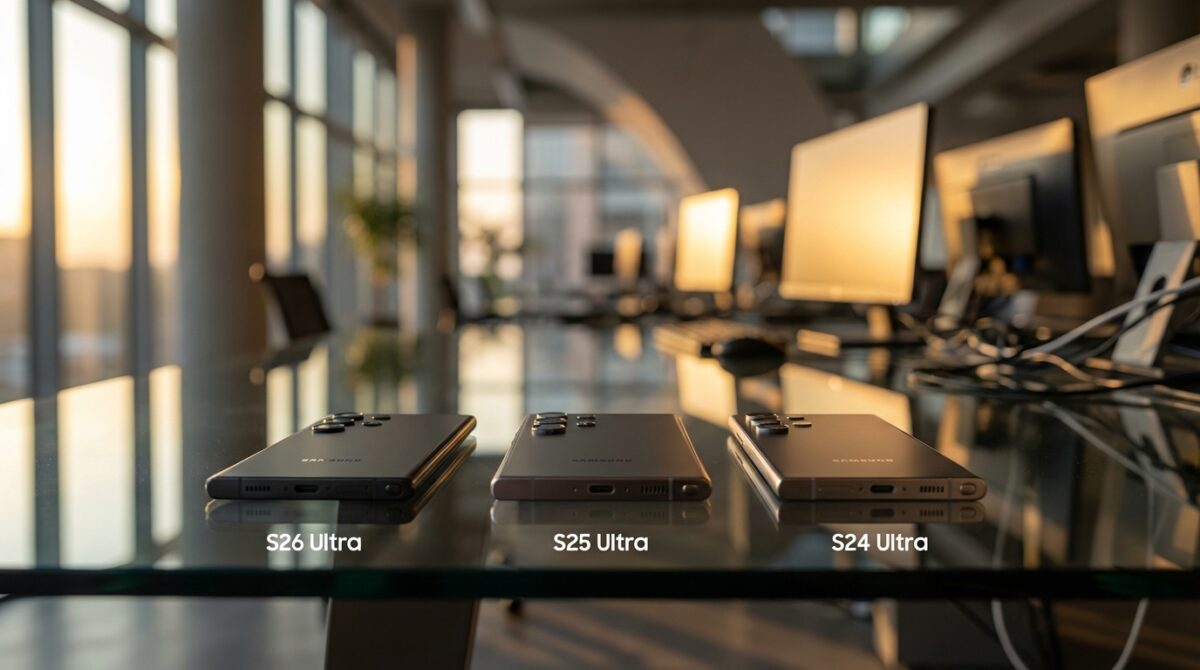
For a quick glance, the S24 Ultra, S25 Ultra, and S26 Ultra seem almost interchangeable when you see them on a desk. Once you start using them side by side, the design tweaks and display technology reveal three very different daily experiences. The S24 Ultra and S25 Ultra both rely on a 6.8‑inch AMOLED screen with a sharp 3,120 x 1,440 resolution and a 1–120 Hz adaptive refresh rate. The S26 Ultra stretches that to 6.9 inches, keeping the same resolution and refresh behaviour, which means slightly lower pixel density but a more immersive canvas for video and multitasking.
Where the S26 Ultra truly separates itself is the Privacy Display. This pixel‑level system limits side viewing angles so that your screen remains readable to you while turning into a vague glow for people sitting next to you. You can decide whether it activates only for notifications, for specific apps like banking and messaging, or for the entire screen. Professionals like our fictional product manager Lena, who works on trains and in cafés, can review confidential decks without carrying a bulky privacy filter. That kind of control changes how confidently you handle sensitive content outside the office.
Top extenders boost Wi-Fi connectivity in 2026
Lenovo Idea Tab: A Reliable Everyday Tablet Choice
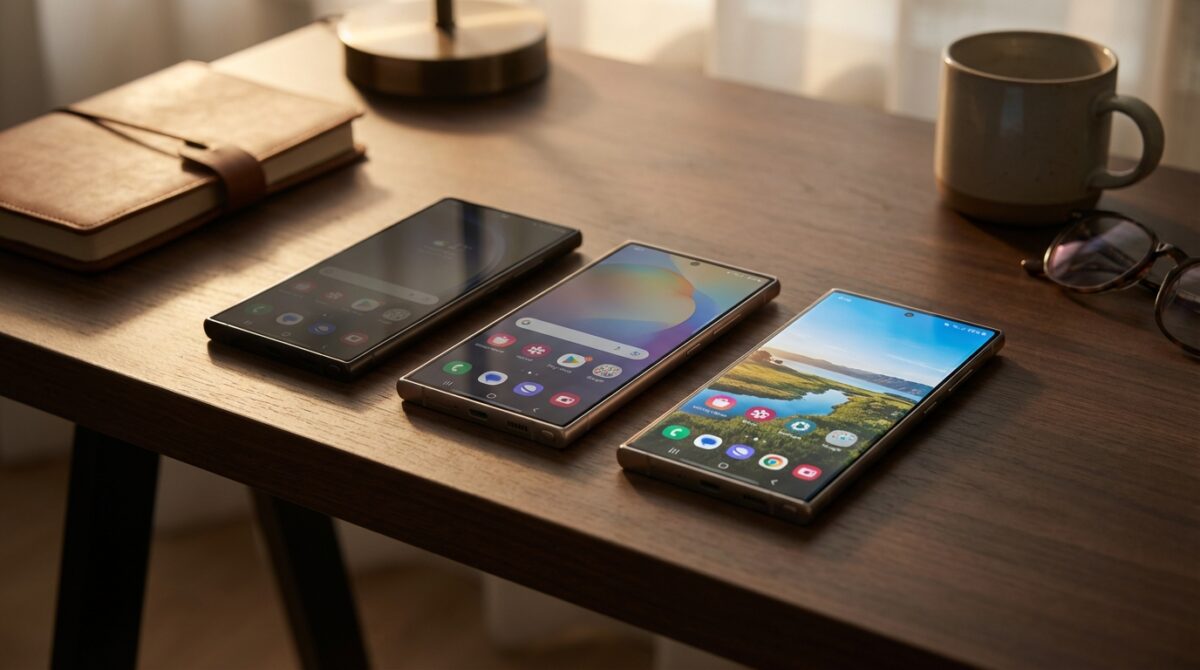
S26 Ultra aluminum frame vs S25 Ultra and S24 Ultra titanium
Another surprising twist appears when you flip the phones over. The S24 Ultra and S25 Ultra use titanium frames, which Samsung positioned as premium, rugged, and aligned with high‑end wearables. With the S26 Ultra, the company shifts back to aluminum. That decision raised eyebrows, yet in hand the phone feels lighter and a touch slimmer. The S26 Ultra measures roughly 6.44 x 3.07 x 0.31 inches and weighs 214 grams, compared with the S25 Ultra’s 218 grams and the S24 Ultra’s much heavier 233 grams. Lena, who carries her phone in a suit pocket all day, immediately notices less drag and better balance when taking photos one‑handed.
Gorilla Glass Armor 2 on the S26 Ultra also nudges durability forward compared with the Gorilla Glass Armor on the S25 Ultra and S24 Ultra. That upgrade matters if you have lived through micro‑scratches from keys or bags. All three devices maintain IP68 resistance, integrated S Pen, under‑display fingerprint reader, and USB‑C, so baseline robustness and usability stay consistent. The design story, then, is subtle: if you value lighter weight, advanced scratch resistance, and the Privacy Display, the S26 Ultra offers a meaningful refinement over the older titanium‑framed models.
Camera features and real‑world imaging differences
The spec sheet suggests almost nothing has changed in Camera Features across the Samsung Galaxy Ultra trio, which can be misleading for buyers who judge only on megapixels. All three generations rely on a 200‑megapixel wide camera, paired with a 3x telephoto at 10 megapixels and a 5x telephoto at 50 megapixels. The front camera remains at 12 megapixels for selfies and video calls. The S24 Ultra stands apart slightly with a 12‑megapixel ultrawide, whereas the S25 Ultra and S26 Ultra share a 50‑megapixel ultrawide sensor, which delivers more flexibility for cropping and reframing.
The S26 Ultra shifts the story from hardware to optics and software. Larger apertures on the main and telephoto lenses let in more light, which benefits evening street photography, indoor events, and dimly lit restaurants. When Lena documents a client dinner for a case study, the S26 Ultra preserves skin texture and background ambience without forcing flash. The software brings extras such as Horizontal Lock, which keeps your horizon straight when you swing the phone during action shots or fast panning. Selfie tuning has also been refined to avoid overly smooth faces, a common complaint about older Samsung processing.
Software intelligence vs raw specifications in the camera stack
From a distance, all three Ultras support 8K video capture, portrait modes, and advanced night shooting. The difference lies in how much manual intervention you need to get a good shot. On the S24 Ultra, Lena often spends extra time managing focus, exposure, or waiting for the camera to stabilise. With the S25 Ultra, computational photography improved, yet low‑light scenes could still soften detail or produce noise in complex backgrounds. The S26 Ultra narrows those weaknesses by pairing its new Snapdragon 8 Elite Gen 5 for Galaxy processor with updated image pipelines and smarter scene recognition.
Another understated upgrade concerns content management. The S26 Ultra automatically categorises screenshots in the Gallery, which matters if you constantly capture whiteboards, prototypes, or receipts. A week of meetings can generate dozens of reference images. With the newer software, Lena finds past screenshots faster when preparing reports. Independent tests from reviewers at publications such as ZDNET’s comparison of S26 Ultra and S25 Ultra cameras have already highlighted that day‑time shots look similar across models, yet the S26 Ultra pulls ahead during night scenes and high‑motion recording. The camera story, therefore, is about reliability in tricky conditions rather than headline‑grabbing sensors.
Performance, battery life and charging for power users
Under the hood, each Samsung Galaxy Ultra generation steps forward in Performance, even though everyday tasks like messaging and browsing feel identical at first glance. The S24 Ultra runs on Qualcomm’s Snapdragon 8 Gen 3, the S25 Ultra moves to the Snapdragon 8 Elite for Galaxy, and the S26 Ultra introduces the Snapdragon 8 Elite Gen 5 for Galaxy. These specialist variants are tuned for Samsung’s AI features, multitasking, and gaming. For Lena, who often jumps between video calls, cloud dashboards, and large slide decks, the newer chips reduce frame drops and shorten app resume times.
Battery Life tells a more nuanced story. All three devices share a 5,000 mAh cell, which has become a standard figure for large Android flagships. The big shift lies in how quickly you can recover from a depleted battery. The S24 Ultra and S25 Ultra charge at up to 45 W wired and 15 W wireless. The S26 Ultra jumps to 60 W wired and 25 W wireless. You still need a compatible charger, but when Lena plugs in during a short airport layover, the S26 Ultra gains a far more significant percentage in the same time window. Wireless PowerShare remains available across the trio, enabling you to top up earbuds or a watch from the phone’s back.
RAM, storage options and long‑term performance stability
Another performance dimension involves memory. All three Ultras come in 256 GB, 512 GB, and 1 TB storage options, with no microSD expansion. The S24 Ultra and S25 Ultra offer 12 GB of RAM, which is already generous. The S26 Ultra introduces a 16 GB RAM configuration paired with the 512 GB and 1 TB variants. Heavy multitaskers, mobile gamers, and creative professionals working with 8K clips or large photo libraries benefit most from that bump. Over a two‑year horizon, that extra memory reduces the likelihood of apps reloading in the background or stuttering under heavy workloads.
Software support aligns across the series, with Samsung promising seven years of operating system and security updates starting from each model’s release. That commitment means the S24 Ultra, despite being the oldest, still has many update cycles ahead, yet the S26 Ultra will simply stay current for longer into the 2030s. For a clear numerical view, analyst sites like this NanoReview hardware comparison of S26 Ultra vs S25 Ultra highlight benchmark gains for CPU and GPU workloads. Those figures translate in practice to smoother DeX sessions, faster video exports, and more responsive AI features on the newest phone.
New features, privacy display and Galaxy AI differences
While raw specifications tell part of the Smartphone Comparison story, the New Features define how you actually work and relax with these devices. The S24 Ultra was the first of the trio to receive Galaxy AI experiences such as live translation, generative photo editing, and context‑aware assistance. The S25 Ultra refined those tools with better speech handling and more local processing. With the S26 Ultra, Samsung leans into privacy and ergonomics. The configurable Privacy Display is only the beginning. You can specify per‑app behaviour, which allows banking to hide from side glances while keeping streaming apps fully visible for group watching.
This level of flexibility suits professionals who juggle confidential messaging alongside casual content on the same commute. Lena often sets her S26 Ultra so that corporate email stays protected while maps and playlists remain normal. Combined with the upgraded Gorilla Glass Armor 2 and lighter frame, the phone becomes a more travel‑friendly companion. Charging upgrades also count among the new additions. Faster wired and wireless charging, even without embedded accessory magnets, position the S26 Ultra as the quickest to recover from intensive use. With a compatible case embedding magnets, you can still use magnetic stands or chargers, which keeps flexibility for different setups.
AI‑driven workflows across S24 Ultra, S25 Ultra and S26 Ultra
Galaxy AI features do not remain static across the three models. The S24 Ultra laid the groundwork for translation during calls, summarisation, and intelligent note‑taking. On the S25 Ultra, those abilities became smoother as the Snapdragon 8 Elite for Galaxy handled on‑device inference more efficiently. The S26 Ultra’s Snapdragon 8 Elite Gen 5 for Galaxy extends that efficiency, enabling larger AI models to run locally with reduced energy drain. That progress matters for users who want privacy but also require advanced assistance during travel, negotiations, or creative work.
Lena’s daily routine offers a simple illustration. On the S24 Ultra, she relied on cloud support for heavy AI tasks. With the S25 Ultra, she noticed fewer delays in language translation when visiting clients abroad. On the S26 Ultra, she can translate presentations offline while the Privacy Display keeps sensitive content away from bystanders. Industry reviewers, including those behind detailed upgrade guides like Digital Trends’ S26 Ultra vs S25 Ultra analysis, highlight this combination of privacy, performance, and AI maturity as the S26 Ultra’s distinctive edge for professionals.
Choosing between S24 Ultra, S25 Ultra and S26 Ultra
Once you bring everything together, the choice between S24 Ultra, S25 Ultra and S26 Ultra becomes a question of context rather than pure specification. The S24 Ultra, with its titanium frame, mature camera system, and matching $1,300 starting price, still represents strong value if you find it discounted. For users who mainly browse, stream, and shoot occasional photos, it delivers more power than most people will fully exploit. The S25 Ultra refines that baseline with a brighter display, modest performance boosts, and updated Galaxy AI features, making it a safe middle ground if pricing lines up favourably.
The S26 Ultra targets a narrower, more demanding segment. If you frequently work in public spaces, handle confidential information, or insist on the fastest charging and longest update window, its Privacy Display, Gorilla Glass Armor 2, 60 W wired charging, and 16 GB RAM option offer tangible benefits. To help structure your thinking, you might weigh these priorities:
- Pick S24 Ultra if budget matters most and you find a significant discount with acceptable longevity.
- Pick S25 Ultra if you want solid performance and AI tools but do not need the Privacy Display or faster charging.
- Pick S26 Ultra if public‑space privacy, peak charging speed, and long‑term performance are everyday requirements.
Readers like Lena, who live on video calls, flights, and shared workspaces, gain the most from the newest model’s focus on discretion and speed. Those who mainly use their phones at home or in private offices may not justify the upgrade and could safely choose a discounted S25 Ultra or S24 Ultra instead. The decisive factor is not the year stamped on the box but how closely each device’s strengths match your real daily scenarios.
Is the S26 Ultra worth upgrading from the S25 Ultra?
The S26 Ultra is a meaningful upgrade if you care about the Privacy Display, faster 60 W wired and 25 W wireless charging, and the optional 16 GB RAM. If you mainly use your phone in private spaces and are satisfied with current camera quality and performance, the S25 Ultra remains strong, especially if available at a lower price.
How different is the S26 Ultra camera from the S24 and S25 Ultra?
Hardware specifications are very similar across the three phones, with the same 200‑megapixel main sensor and dual telephoto lenses. The S26 Ultra improves low‑light performance via larger apertures and updated software, adds Horizontal Lock for video, and refines skin tones and screenshot organisation. Differences are most visible in challenging lighting and action scenes.
Do all three Galaxy Ultra models receive the same software support?
Samsung commits to seven years of operating system and security updates for the S24 Ultra, S25 Ultra and S26 Ultra. The S24 Ultra will therefore reach end of support earlier because it launched first, while the S26 Ultra will receive updates longest. For users focused on long‑term ownership, the S26 Ultra maximises that update window.
Does the Privacy Display on the S26 Ultra affect brightness or readability?
The Privacy Display is designed to keep the screen clear when viewed head‑on while dimming side angles. When enabled, you may notice a small impact on brightness compared with standard mode, but direct viewing remains comfortable. You can restrict it to specific apps or notifications to balance privacy with maximum brightness when needed.
Which Samsung Galaxy Ultra is best for gaming and multitasking?
A Step-by-Step Guide to Sending Messages via Satellite on Your iPhone
Vibe Camera Showdown: Comparing Camp Snap Pro and Flashback One35 V2
For intensive gaming and heavy multitasking, the S26 Ultra stands out thanks to the Snapdragon 8 Elite Gen 5 for Galaxy and the option for 16 GB RAM. It sustains high frame rates more consistently and reloads fewer apps in the background. The S25 Ultra is also capable for gaming, while the S24 Ultra still performs well but offers less headroom for future, more demanding titles.
