
Show summary Hide summary
Imagine realising your suitcase never left the departure airport, yet your phone quietly knew it all along. That quiet leap in tracking confidence captures the difference between AirTag 2 and the original AirTag 1: the same tiny disc, but a far more capable Apple Tracker in practice.
AirTag 2 vs AirTag 1: why this upgrade matters
For many users like Daniel, an IT consultant who travels twice a month, the first AirTag 1 felt like magic the first time it confirmed that his backpack was on the same plane. After a year, though, he began noticing blind spots: the tag sometimes took a while to register in crowded airports, and Precision Finding on his iPhone could feel slow to kick in. With the Latest Tracker generation, Apple targets precisely those pain points, turning a useful gadget into a more dependable part of your daily risk management.
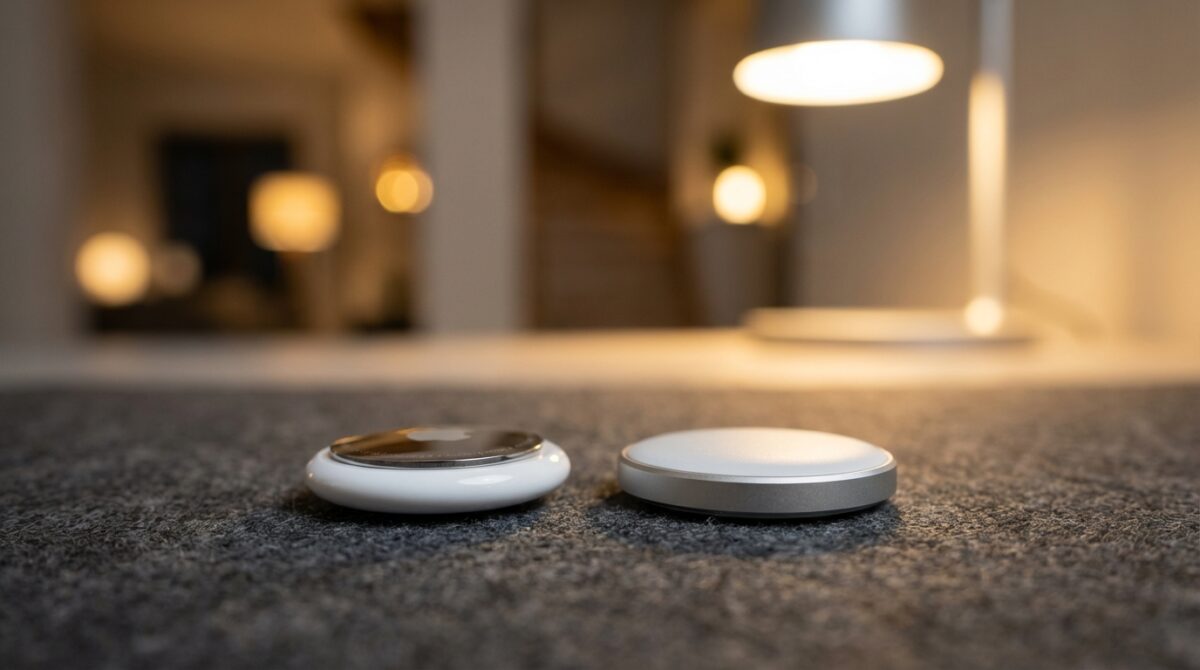
The headline difference is not the design. AirTag 2 looks almost identical to the Classic Model, with the same white plastic shell and polished metal back. The real story hides inside: a second‑generation Ultra Wideband chip, an upgraded Bluetooth radio, and a louder speaker with a redesigned chime. These device improvements do not just tick specification boxes. They expand the distance at which you can lock onto a tag, reduce the time you spend wandering around listening for a faint beep, and make the whole Find My experience feel less like a lottery and more like a professional tool.
Top Fast Chargers to Power Your Devices in 2026
Top Cameras to Watch Out for in 2026
Design similarities, hidden differences and how to spot them
On a desk, AirTag 2 and AirTag 1 could easily be swapped without anyone noticing. Both weigh close to 11 grams, with the newer model adding only a fraction of a gram. Each runs on a standard CR2032 coin cell battery that users find easily in supermarkets and electronics shops. Typical battery life still sits at roughly a year before you need to twist off the metal back and replace the cell, so there is no new charging ritual to learn with the Latest Tracker.
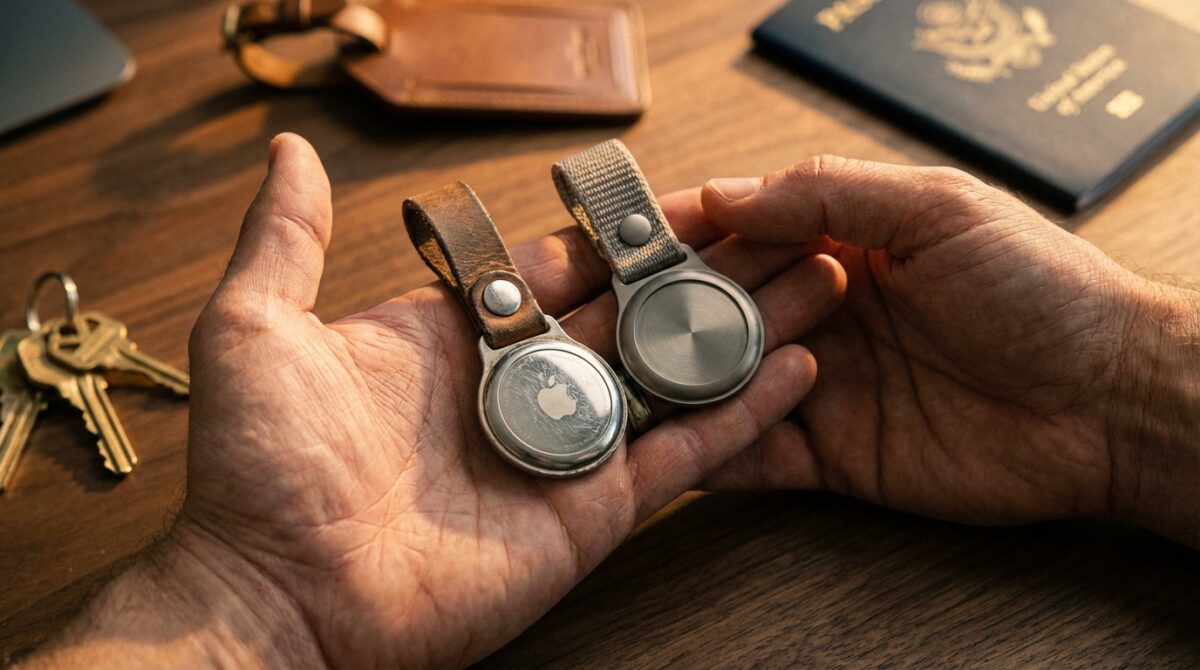
The real design change is textual rather than visual. If you flip the disc over and read the tiny inscription around the metal ring, the Classic Model shows mixed‑case text with phrases such as “Designed by Apple in California” and “Assembled in China.” AirTag 2 instead uses all capital letters and adds functional labels like “FIND MY,” “NFC” and “IP67.” That IP67 rating signals water and dust resistance, reassuring anyone who clips it to a dog collar or gym bag. For someone managing several trackers in a household or small business, this subtle typography difference becomes the most reliable way to identify which disc belongs to which generation without opening packaging or checking serial numbers.
Ultra Wideband evolution and Precision Finding in real life
The second‑generation Ultra Wideband chip represents the sharpest break between the two products. AirTag 1 already used UWB to enable Precision Finding on compatible iPhones, turning your screen into a directional radar. The updated silicon in AirTag 2 extends that capability by roughly 1.5 times the detection range. In practice, this means you can start getting on‑screen distance and direction feedback earlier, without roaming every corner of a room waiting for the signal to stabilise.
Consider a common use case: locating a work laptop bag in a large open‑plan office after a late meeting. With the classic AirTag 1, you might walk halfway across the floor before the Find My interface shifted from a vague “nearby” radius to a clear directional arrow. The enhanced Tracking Technology in AirTag 2 reduces this limbo period. The phone picks up the UWB signal from farther away, then nudges you towards the exact desk or chair. Recent Apple Watch models, including Apple Watch Series 9 and Ultra 2 with updated watchOS, now participate in this precise guidance. Users can glance at their wrist and follow the on‑screen arrow, leaving the phone in a pocket while they navigate directly to the tracker.
Bluetooth Tracker performance, network reach and safety
Beyond UWB, the less visible but equally meaningful improvement lies in the Bluetooth Tracker capabilities. Apple describes the radio in AirTag 2 as an upgraded Bluetooth LE chip with longer range. While the company does not publish exact metres, user testing suggests that tags now connect more reliably to nearby Apple devices that form the backbone of the Find My network. Every nearby iPhone, iPad or Mac effectively becomes a relay that can pick up a low‑energy ping from your tracker and update its location privately and anonymously.
This upgrade matters when your belongings move without you. Think about checked luggage in an airport or a bike left in a busy city rack. The AirTag itself does not need to scream across the terminal; it simply needs a passing Apple device to hear its whisper. A longer and more stable Bluetooth range increases the probability that one of those devices will detect your tag sooner. There is also a subtle safety upside. If someone tries to use an AirTag 2 to follow a person, that person’s iPhone is more likely to notice an unknown tracker moving with them, thanks to the stronger and more consistent signal, and trigger an alert earlier.
Sound, pricing and when to keep the classic model
Sound output has moved from an afterthought to a differentiator. The original AirTag 1 could be hard to hear through a thick backpack or from the other side of a noisy apartment. Apple states that AirTag 2’s internal speaker can be heard at roughly twice the distance, helped by a redesigned, more distinctive chime pattern. In real‑world tests, this means you can trigger a sound from the Find My app and actually locate a dropped keyring under a car seat or behind a sofa without needing absolute silence.
Price, however, remains familiar. Apple still lists a single AirTag 2 at 29 dollars and a four‑pack at 99 dollars, mirroring the Classic Model’s original launch price. Retailers now discount AirTag 1 significantly, with some selling four‑packs around 70 dollars, dropping the per‑tracker cost well below the Latest Tracker generation. For families or small firms that need a large fleet of tags for infrequently moved objects, stocking up on the older model can still make sense. Many users therefore choose a mixed strategy: AirTag 2 for high‑value or frequently misplaced items like laptops, cameras and travel bags, and AirTag 1 for static uses such as spare keys or storage boxes.
- Use AirTag 2 on items that move often and matter most, like luggage, work bags or camera gear.
- Reserve AirTag 1 for low‑risk objects that rarely leave home, such as remote controls or storage bins.
- Rely on Precision Finding with newer iPhones and Apple Watch models for rapid indoor searches.
- Leverage the louder chime of AirTag 2 in noisy environments such as offices, airports or family homes.
- Monitor retailer offers, as both generations tend to receive occasional multi‑pack discounts.
How can I quickly tell AirTag 2 from AirTag 1?
Flip the tracker and look at the metal back. AirTag 2 uses all‑caps text and includes labels such as FIND MY, NFC and IP67. The classic AirTag 1 shows mixed‑case wording like Designed by Apple in California without those functional markings.
Is the Ultra Wideband upgrade in AirTag 2 worth paying for?
For users who often search for items in busy or large spaces, the second‑generation Ultra Wideband chip offers faster and more reliable Precision Finding. The extended detection range reduces wandering and pairs especially well with recent iPhones and Apple Watch models.
Does AirTag 2 have better battery life than AirTag 1?
Both generations use the same CR2032 coin cell and deliver similar endurance, typically around one year per battery under normal use. The main advantages of AirTag 2 relate to range, audio output and compatibility, not longer battery runtime.
Can Apple Watch locate AirTag 1 with Precision Finding?
JLab Unveils Innovative Bluetooth Speaker That Transforms Into Giant Headphones
The Switch: Nintendo’s Top-Selling Console That Redefined Gaming
Precision Finding on Apple Watch relies on the newer Ultra Wideband implementation. AirTag 2 works with Apple Watch Series 9 and Ultra 2 running the latest watchOS. AirTag 1 still reports its location, but the wrist‑based radar‑style guidance is reserved for the newer tracker.
Should I replace all my existing AirTag 1 units?
A full replacement is rarely necessary. Many users keep AirTag 1 units on less critical items and add AirTag 2 for valuables or travel gear. This approach balances cost and performance while taking advantage of the stronger range and louder speaker where they matter most.
